
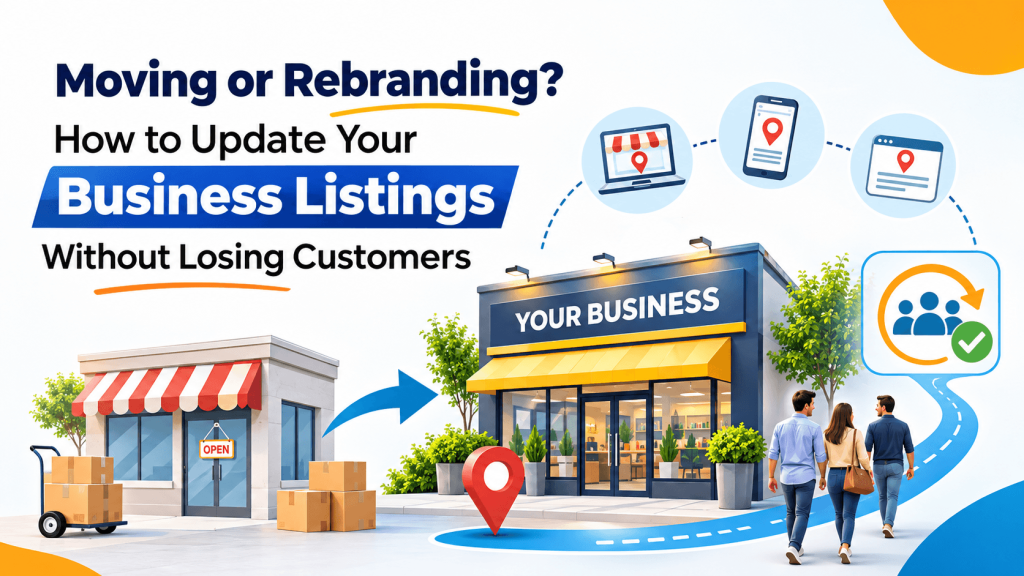
A property management firm in Phoenix signs a lease on a larger office across town. The move goes smoothly, but six weeks later tenants are still showing up at the old suite to drop off rent checks, and a new client calls a disconnected number she found on an old directory page.
Office moves, mergers, and name changes are normal business milestones. The problem is that your old information doesn’t disappear on its own.
Why Old Details Keep Showing Up
Business information spreads across the web over the years. Your address may appear on your website, Google Business Profile, social media pages, industry associations, local chambers of commerce, and several online business directories. Some sites pull data from others, so one outdated source can keep reappearing. Printed materials, email signatures, and vehicle wraps also carry old details that customers may photograph and look up later.
Inconsistent details confuse customers first. They may also make it harder for search engines to confirm which version of your business information is current.
A Step-by-Step Update Plan
Start with the sources you control. Update your website’s contact page, footer, and any schema markup the same day you move. Then edit your Google Business Profile and Apple Business Connect so maps send people to the right door.
Next, build a simple spreadsheet of every other listing you can find. Search your old phone number and old address in quotes to uncover forgotten profiles. Work through the list, record the date you updated each one, and note any site that requires email verification. Don’t forget social media bios, review platforms, and professional licensing or association pages, which clients often check before calling.
Mistakes That Slow the Transition
One frequent mistake is creating a brand-new listing instead of editing the old one, which leaves duplicate profiles competing with each other. Another is disconnecting the old phone number too soon. Forwarding it for several months gives stragglers a way to reach you.
Real estate agents, brokerages, and property managers have an extra reason to stay accurate, since clients often compare several professionals before reaching out. If your firm appears in RealDir’s Real Estate and Property listings, update that profile alongside your other directory entries so it matches your new address and branding.
Conclusion
A move or rebrand is the best time to clean up your entire online footprint. Update the sources you own first, track every external listing, and give old contact methods time to redirect people. Including RealDir in that checklist helps keep one more source of your business information current.
Frequently Asked Questions
Should I delete my old Google Business Profile after moving?
Usually no. If your business simply relocated, edit the existing profile with the new address so you keep its reviews and history. Creating a second profile can cause duplicates. Google’s help center explains the process for moving a business and marking an old location as closed when appropriate.
How long does it take for listing changes to appear everywhere?
It varies by platform. Edits on your own website and major profiles can appear within days, while some directories and data aggregators take weeks to refresh. Recheck your key listings about a month after the move and correct anything that still shows old details.
What should I do if a directory won’t let me update my listing?
Look for a claim or ownership verification option first, then contact the site’s support team with proof of your business. Keep a record of your request. If the site doesn’t respond, focus on accurate listings elsewhere and note the issue in your listing tracking spreadsheet.
Does a business name change affect my online reviews?
If you edit the existing profile instead of creating a new one, reviews generally stay attached. Let customers know about the change on your website and social channels so returning clients recognize the new name and aren’t confused when they search for you.

admin
We help consumers find and connect with trusted local businesses, and help businesses amplify their online visibility.